 Insviewers
How Profiles Curate and Approve Their Tagged Photos
Instagram profiles curate their tagged tab using tag approval, hiding posts, and untagging — here's how each control works and why tagged tabs look so different.
By Insviewers Editorial Team · Last updated September 11, 2026
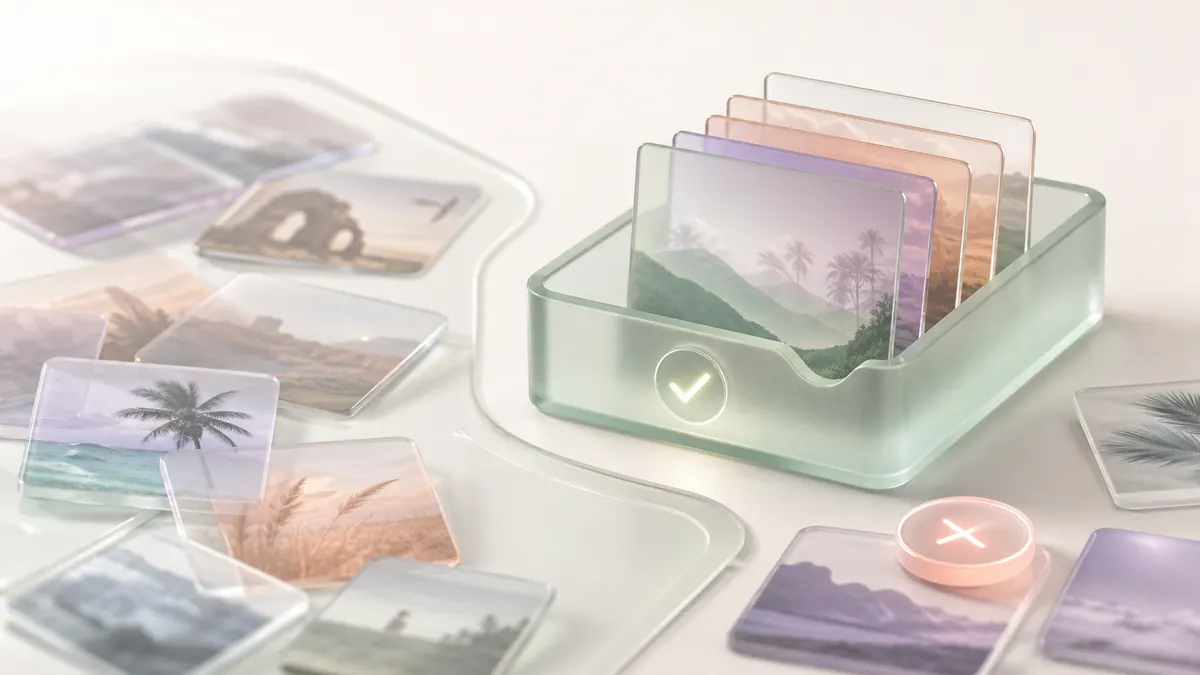
Profiles curate their tagged tab with three controls: tag approval (a post joins only after the owner allows it), hiding (removes a post from the tab without deleting the tag), and untagging (detaches the tag entirely). That's why tagged tabs range from rich galleries to nearly empty.
Key takeaways
- Tag approval routes new tags into a queue so only owner-approved posts reach the tagged tab.
- Hiding a post removes it from the tagged tab while leaving the original post and tag intact.
- Untagging detaches the tag link, so the post no longer points to the profile at all.
- Because the tab is curated, it shows what the owner allowed — not every public tag that exists.
Two public profiles can be tagged in the same number of posts yet have wildly different tagged tabs — one a sprawling gallery, the other almost bare. The reason isn't luck or an algorithm; it's curation. Instagram gives profile owners several distinct controls over what appears on their tagged tab, and the choices they make shape exactly what anyone else can browse there. Understanding these controls explains why tagged tabs look the way they do and what a sparse one really tells you.
The default: automatic tagged posts
Out of the box, Instagram adds tagged posts to a profile's tagged tab automatically. When another public account tags a profile in a post, that post simply appears on the tab without the owner lifting a finger.
For many casual accounts, this default never changes. Their tagged tab fills up naturally with whatever public posts have tagged them — friends' group photos, event coverage, the occasional brand collaboration. The result is a fairly complete public picture, because the owner isn't filtering anything.
This default is why most people assume tagged tabs are exhaustive. They aren't — they're just unfiltered when the owner leaves them that way.
Control 1: Manual tag approval
The most powerful curation tool is manual tag approval. When an owner switches it on, the automatic behavior flips: a post that tags them no longer appears on their tagged tab right away. Instead it waits in an approval queue. The owner reviews each one and decides, post by post, whether to let it onto their profile.
This single setting transforms a tagged tab. A brand, public figure, or carefully managed account might receive hundreds of tags and approve only a handful that fit their image. From the outside, their tagged tab looks tiny — not because few people tag them, but because they approve few. That's the most common of the five reasons in why tagged photos are missing or hidden.
When you browse with the Instagram Tagged Viewer, you see the post-approval result: only the public tags the owner has actively allowed onto their tab.
Control 2: Hiding a tagged post
Separate from approval, owners can hide any tagged post that's already on their tab. Hiding removes the post from their tagged tab while leaving the original post — and the tag itself — fully intact on the poster's side.
Key things about hiding:
- The original post stays live; only its appearance on the owner's tab changes.
- The tag link still exists; the owner just chose not to display it.
- It's reversible — the owner can unhide it later.
Hiding is how owners prune their tab over time. Maybe an old photo no longer fits, or a post got awkward in hindsight. They tidy the tab without affecting anyone else's content.
Control 3: Untagging (removing the tag link)
The most decisive control is untagging — removing the profile from the tag entirely. Where hiding keeps the tag but stops showing the post, untagging severs the connection. After untagging, the post no longer points to the profile anywhere; it's as if the tag was never placed.
People untag themselves to disassociate from a post completely — not just to keep it off their tab, but to break the link so the post stops referencing them. Once untagged, the post can't be surfaced by any tagged lookup for that profile, because the relationship no longer exists.
How the three controls compare
It's easy to mix these up, so here's the distinction in one view:
| Control | What it does | Original post | Tag link |
|---|---|---|---|
| Tag approval | Holds new tags in a queue until approved | Unaffected | Created only if approved |
| Hiding | Removes post from the owner's tab | Stays live | Kept, just not shown |
| Untagging | Detaches the profile from the tag | Stays live | Removed entirely |
Tag approval governs what gets in. Hiding governs what stays visible. Untagging governs whether the link exists at all. Together they give owners fine-grained command over their tagged presence.
Why curated tabs vary so much
These controls explain the huge range you see across profiles:
- Open accounts leave the default on and rarely hide anything, so their tab is a rich, near-complete public gallery.
- Brand and creator accounts often use approval to keep their tab on-message, allowing only polished or relevant posts through.
- Privacy-minded accounts hide liberally or untag freely, leaving a thin tab even when they're tagged often.
None of this is visible from the tab alone — you only see the curated outcome, not the queue behind it. That's the core lesson: a tagged tab reflects the owner's choices as much as the community's posts.
What curation means for anyone browsing
If you're researching a public profile, treat its tagged tab as a curated, public-only sample, never a full audit. A sparse tab might mean a tightly managed account, not an unmentioned one. A full tab means the owner lets public tags through, which is itself useful context about how open they are.
None of these controls touch mentions, which live in captions rather than on the tab — tagged vs mentioned vs your own posts separates the three. And the privacy boundary still frames everything: only tags on public posts are reachable, and no curation control changes that. Hidden tags, untagged posts, and tags inside private accounts are all out of reach — by design, and as it should be. To see the public, approved tags a profile has allowed, open the Instagram Tagged Viewer and enter the username. This site works with public profiles only and is not affiliated with Instagram or Meta.
Sources and verification
These links support the tagging and approval rules described here. Which tags reach a public tab depends on owner controls, so this is a public-interface observation checked on 2026-08-06, not a claim about hidden or removed tags.
Privacy & safety
- Public profiles only. Tagged photos on a private account, and tags the profile chose to hide, stay unavailable.
- No login, no password. Nothing is posted, liked or followed, so neither the profile nor the tagger is notified.
- No browsing history is kept for you, and no archive of posts or stories. Each view reflects the tags currently approved and public.
Limitations
- The tagged tab shows only the tags a profile has approved and left visible.
- It can’t show hidden tags, tags on private accounts, or who removed a tag.
- Figures and behaviour reflect how Instagram works publicly; they are not official Instagram data.
Common mistakes
- Assuming tagged photos always appear automatically — many profiles use approval, so tags wait for a manual yes.
- Thinking hiding a post deletes it — hiding only removes it from your tab; the original post stays live.
- Reading a curated tagged tab as a complete record — it's only the public tags the owner allowed.
Frequently asked questions
How do I stop tagged photos from showing on my profile automatically?
Turn on manual tag approval so each tagged post waits in a queue until you approve it before it appears on your tagged tab.
Is hiding a tagged post the same as removing the tag?
No. Hiding takes the post off your tagged tab but keeps the tag and original post. Untagging detaches the tag link entirely.
Why do some profiles have a full tagged tab and others almost none?
It reflects curation. Open accounts let most public tags through, while tightly managed accounts approve few or hide many, leaving a sparse tab.
Related guides
Related tools
The Insviewers Editorial Team tests public Instagram story viewer workflows and documents how public profiles, stories, highlights, tags, reposts and following lists actually behave. We cover public content only.
About Insviewers →Methodology
This guide describes how the tagged tab behaves — which tags a profile approves, which it hides, and what stays visible to outsiders, based on hands-on testing of public profiles and Instagram’s documented behaviour. It covers only what is publicly visible.
Where a guide explains the viewer, it reflects how the tool reads already-public data — on-demand, read-only, public profiles only. We don’t claim official Instagram data and we revise guides as the platform changes.
Last updated September 11, 2026 · Insviewers
Browse a public profile’s stories
Open any public profile as one scrollable feed — no login, no app, public profiles only.
Instagram Tagged Viewer